
This is probably the single most common “wait, which one do I actually pick” question I get from teams starting an Azure migration — and it’s a genuinely important one to get right, because switching between these three later isn’t a quick config change. It’s a real migration, sometimes a painful one.
So let’s go through all three honestly: what each one actually is, where they genuinely differ, and — more usefully than a feature list — when each one is the right call and when it’s a trap.
The three options, in plain terms
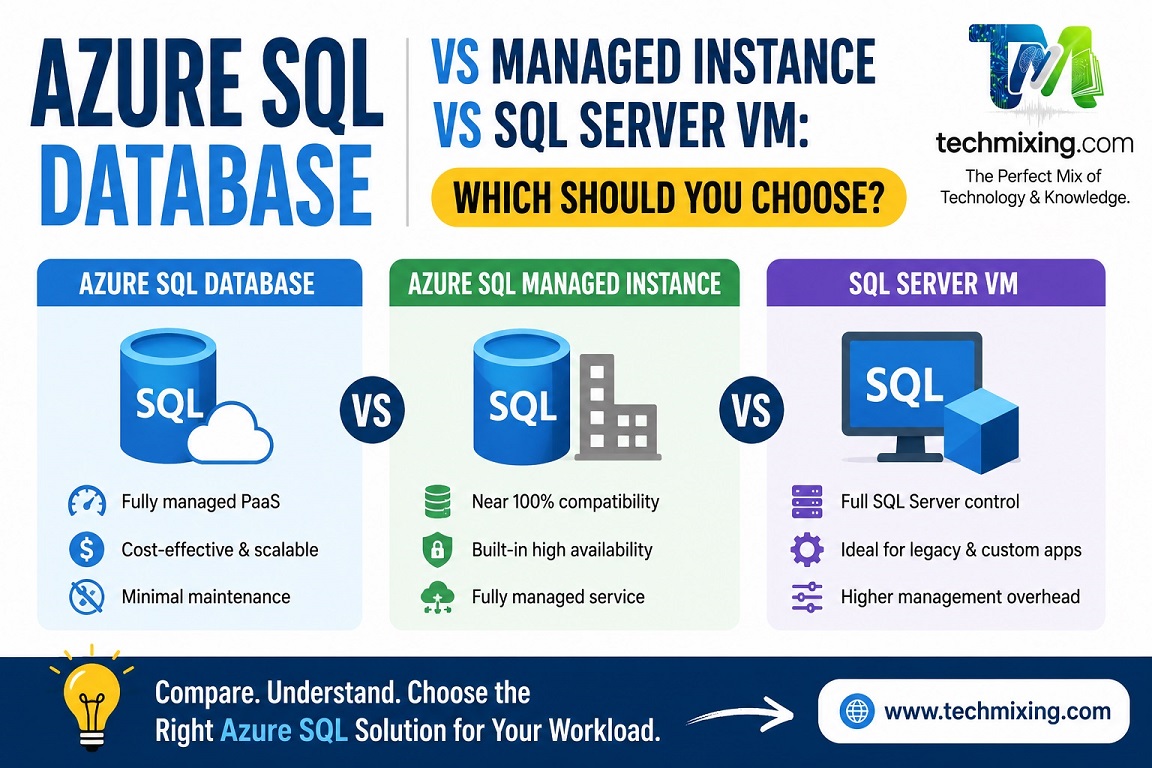
Azure SQL Database is Microsoft’s fully managed, cloud-native Platform-as-a-Service (PaaS) offering. You create a database, write your schema, run your queries — Microsoft handles the OS, patching, and most infrastructure decisions entirely. You don’t get to (and don’t need to) RDP into anything.

Azure SQL Managed Instance is also PaaS, but it’s built to give you near-complete SQL Server instance compatibility — SQL Server Agent, cross-database queries, linked servers, and most of the surface area a traditional on-prem SQL Server DBA already knows — while still being a managed service Microsoft patches and maintains.
SQL Server on Azure VM is genuinely Infrastructure-as-a-Service (IaaS). It’s just SQL Server, installed on a virtual machine you control, running on Azure’s infrastructure instead of your own data center. You manage the OS, patching, and everything else — exactly like on-prem, just hosted differently.
Where they actually differ
The differences aren’t really about “which is more powerful” — it’s about how much control you keep versus how much Microsoft takes off your plate, and how much of your existing SQL Server-specific tooling and habits carry over unchanged.
| Aspect | Azure SQL Database | Managed Instance | SQL Server on Azure VM |
|---|---|---|---|
| Management model | Fully managed PaaS | Fully managed PaaS | Self-managed IaaS |
| OS-level access | None | None | Full (RDP access) |
| SQL Server Agent | Not available (use Elastic Jobs) | Fully supported | Fully supported |
| Cross-database queries | Not supported directly | Fully supported | Fully supported |
| Linked servers | Not supported | Supported | Supported |
| Patching | Automatic | Automatic | Your responsibility |
| Backup/restore | Automatic, built-in | Automatic, built-in | Your responsibility (or Azure Backup) |
| High availability | Built-in by default | Built-in by default | You configure it (Always On AG, clustering) |
| SQL Server feature compatibility | Partial | Near-complete | Complete |
| CLR support | Limited | Supported (with restrictions) | Full |
| Ideal for | New, cloud-native apps | Lift-and-shift with minimal rework | Legacy dependencies, full control needs |
The pattern worth noticing: as you move from Azure SQL Database → Managed Instance → SQL VM, you’re trading less operational burden for more compatibility and control. Neither direction is “better” — it depends entirely on what your application actually needs.
Azure SQL Database: when to use it, when to avoid it
Use it when:
- You’re building something new, cloud-native, and don’t have years of accumulated SQL Server-specific dependencies to carry forward
- You want the lowest possible administrative overhead — no patching, no backup jobs to configure, no OS to worry about
- Your app can work with Elastic Jobs instead of SQL Agent, and doesn’t rely on cross-database queries or linked servers
- You want access to Serverless or Hyperscale tiers, which are exclusive to Azure SQL Database (Hyperscale is also available on Managed Instance, but Serverless is Database-only)
Avoid it when:
- Your application genuinely depends on SQL Server Agent jobs, cross-database transactions, or linked servers, and re-engineering those dependencies isn’t realistic in your timeline
- You’re doing a lift-and-shift of an existing, complex on-prem database and don’t have budget or appetite for the compatibility rework Azure SQL Database would require
This is the one I default to for anything new — but I run the Data Migration Assistant (DMA) against any existing database before assuming it’s a fit, because compatibility gaps here aren’t always obvious upfront.
Managed Instance: when to use it, when to avoid it
Use it when:
- You’re migrating an existing SQL Server database and want to minimize application-side rework — Managed Instance was specifically built to close the compatibility gap Azure SQL Database has
- You need SQL Server Agent, linked servers, or cross-database queries, but you still want a managed service handling patching and backups
- You want a genuine middle ground: most of PaaS’s operational relief, most of SQL Server’s familiar feature surface
Avoid it when:
- Your workload is simple enough that Azure SQL Database would serve it fine — Managed Instance generally costs more and has a notably longer provisioning time (often measured in hours, not minutes), so there’s no reason to pay that cost if you don’t need the compatibility it buys you
- You need something Managed Instance still doesn’t support — certain very specific legacy features or third-party software requiring true OS-level access
Managed Instance is the tier I recommend most often for “we’re migrating something real off on-prem SQL Server and don’t want to rewrite half the application” projects. It’s the pragmatic middle path.
SQL Server on Azure VM: when to use it, when to avoid it
Use it when:
- You have a hard requirement that only full OS access satisfies — specific unsupported SQL Server features, third-party software that needs to run alongside SQL Server on the same machine, or a very particular configuration Managed Instance genuinely can’t replicate
- You have an existing licensing or support arrangement that specifically requires full instance control
- Your team already has strong, established on-prem-style DBA practices and infrastructure-as-code tooling, and genuinely wants to keep managing SQL Server the way they always have, just on Azure infrastructure
Avoid it when:
- You’re choosing it “just to be safe” or out of familiarity, without a genuine technical requirement forcing it. This is the trap I see most often — teams default to SQL VM because it feels the most like what they already know, then spend the next several years doing all the patching, backup configuration, and HA setup work Azure would have handled for them on either PaaS option, for no real benefit tied to an actual requirement.
If you can’t name the specific feature or constraint that requires full OS access, you probably don’t need SQL VM.
The decision, boiled down
The flowchart above captures the shortcut version, but here’s the reasoning behind it:
- Do you need full OS-level control for a specific, real reason (an unsupported feature, third-party software, a hard licensing requirement)? → SQL Server on Azure VM
- Otherwise, do you need SQL Server Agent, cross-database queries, or linked servers, and minimizing application rework during migration genuinely matters? → Managed Instance
- Otherwise — new application, or an existing one without those specific dependencies — → Azure SQL Database
Notice the order: it starts from “what do you need,” not “what sounds more powerful” or “what feels most familiar.” That’s deliberately the discipline worth applying here, because all three options are genuinely good at what they’re designed for — the mistakes I see happen almost entirely from skipping the actual requirements-gathering step and defaulting to whichever option feels safest.
A practical tip before you decide
If you’re migrating an existing database, don’t guess — run the Data Migration Assistant (DMA) against it first. It’ll surface the actual compatibility gaps (SQL Agent dependencies, cross-database queries, deprecated syntax) specific to your database, which turns this decision from a judgment call into something backed by real evidence. I’ve seen teams assume Azure SQL Database would be fine, only to discover during DMA assessment that a dozen SQL Agent jobs and three linked servers say otherwise — much better to find that out in an assessment than mid-migration.
Read more articles on SQL server & Azure SQL
SQL Server Execution Plans Explained: A Beginner’s Guide for DBAs and Developers
Top 50 Azure SQL Execution Plan Interview Questions and Answers (Beginner to Advanced)
Difference between Actual & Estimated Execution Plan
Top 30 Azure SQL DMVs Every DBA Should Know (With Scripts, Permissions & Real-World Examples)
Azure SQL Service Tiers Explained: DTU vs vCore vs Serverless vs Hyperscale (2026 Guide)
Top 100 Database Architect Interview Questions and Answers (Beginner to Advanced)
For Interview Questions on SQL SQL Server, Azure SQL, Performance Tuning, Security, and DBA, click the link below:-
https://www.techmixing.com/interview-questions-2
Explore the Complete TechMixing Article Sitemap – Click the Link Below
https://www.techmixing.com/site-map
Discover more from Technology with Vivek Johari
Subscribe to get the latest posts sent to your email.


