
Don’t Memorize the Differences—Understand When to Use Each Command
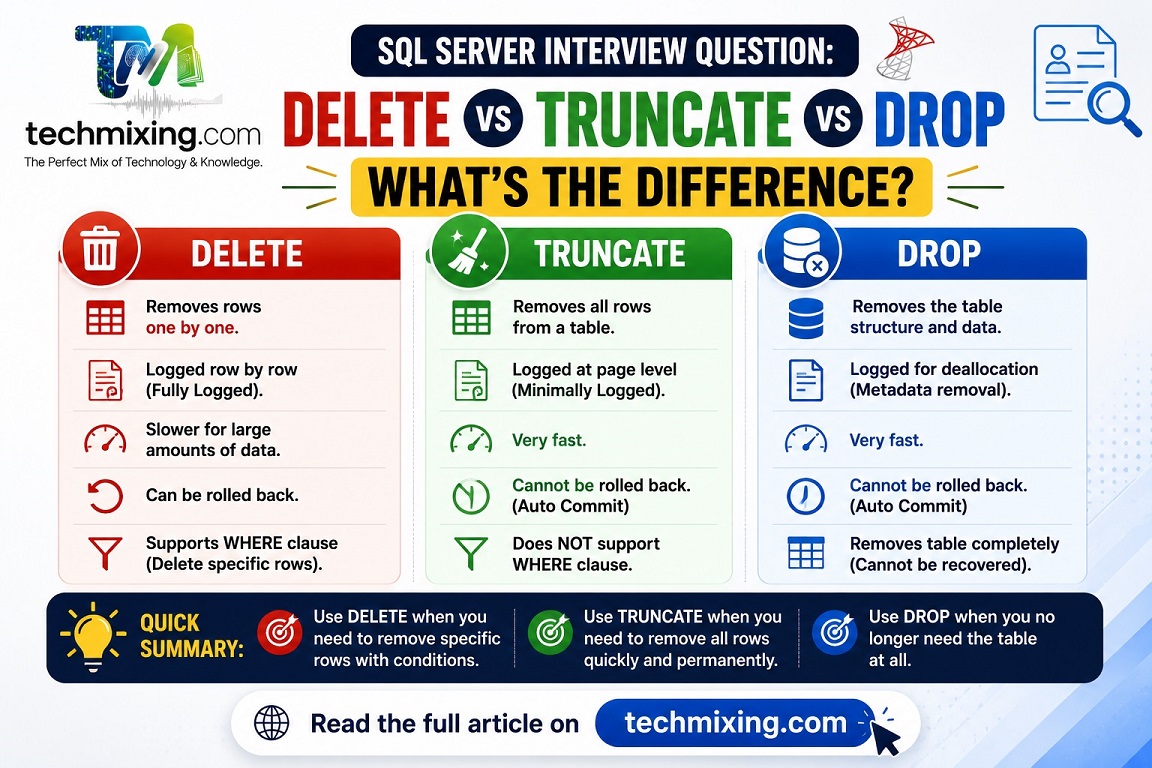
One of the most frequently asked SQL Server interview questions is:
“What is the difference between DELETE, TRUNCATE, and DROP?”
The interviewer isn’t just testing syntax—they want to know if you understand data removal, logging, identity behavior, and object management.
Short Explanation
Here’s a quick comparison:
| Feature | DELETE | TRUNCATE | DROP |
|---|---|---|---|
| Removes Data | ✅ Yes | ✅ Yes | ❌ Removes the entire table |
| WHERE Clause | ✅ Supported | ❌ Not Supported | ❌ Not Applicable |
| Logs Individual Rows | ✅ Yes | ❌ Minimal Logging | ❌ Object metadata removed |
| Resets Identity | ❌ No | ✅ Yes | N/A |
| Keeps Table Structure | ✅ Yes | ✅ Yes | ❌ No |
| Can Be Rolled Back (within a transaction) | ✅ Yes | ✅ Yes | ✅ Yes |
Real-World Example
Your development team wants to empty a staging table before loading fresh data every night.
The table contains millions of rows.
Best Choice
TRUNCATE TABLE dbo.StagingSales;Why?
- Much faster than deleting millions of rows.
- Generates less transaction log activity.
- Resets the identity column automatically.
- Keeps the table structure, indexes, and permissions intact.
However, if the table is referenced by a foreign key, TRUNCATE won’t work. In that case, DELETE may be required.
Why It Matters
Choosing the wrong command can lead to:
- Long-running transactions
- Excessive transaction log growth
- Blocking and locking
- Unnecessary performance overhead
- Accidental loss of table structure
Understanding the differences helps you write safer and more efficient SQL.
Best Practices
- Use DELETE when removing selected rows using a
WHEREclause. - Use TRUNCATE to quickly empty large staging or temporary tables.
- Use DROP only when the table is no longer needed.
- Always verify foreign key dependencies before using
TRUNCATE. - Take a backup before running data removal commands in production.
Common Mistakes to Avoid
- Using
DELETEwithout aWHEREclause unintentionally. - Assuming
TRUNCATEworks on every table. - Dropping a table instead of clearing its data.
- Forgetting that
TRUNCATEresets the identity value. - Running data removal commands directly in production without validation.
Pro Tip
Interview Answer That Impresses
Instead of saying:
“TRUNCATE is faster than DELETE.”
Explain why:
“TRUNCATE deallocates data pages with minimal logging instead of logging each row deletion, making it much faster for large tables. It also resets identity values but cannot be used when foreign key constraints reference the table.”
This demonstrates a deeper understanding that interviewers appreciate.
Read more articles on SQL server & Azure SQL
SQL Joins Tricky Interview Questions
Difference between Delete and Truncate Command
SQL Server Execution Plans Explained: A Beginner’s Guide for DBAs and Developers
Top 50 Azure SQL Execution Plan Interview Questions and Answers (Beginner to Advanced)
Difference between Actual & Estimated Execution Plan
Best practices for Database Programming
Execution Plan Analysis: CTEs vs Temp Tables vs Derived Tables
For Interview Questions on SQL SQL Server, Azure SQL, Performance Tuning, Security, and DBA, click the link below:-
https://www.techmixing.com/interview-questions-2
Explore the Complete TechMixing Article Sitemap – Click the Link Below
https://www.techmixing.com/site-map
Discover more from Technology with Vivek Johari
Subscribe to get the latest posts sent to your email.

