
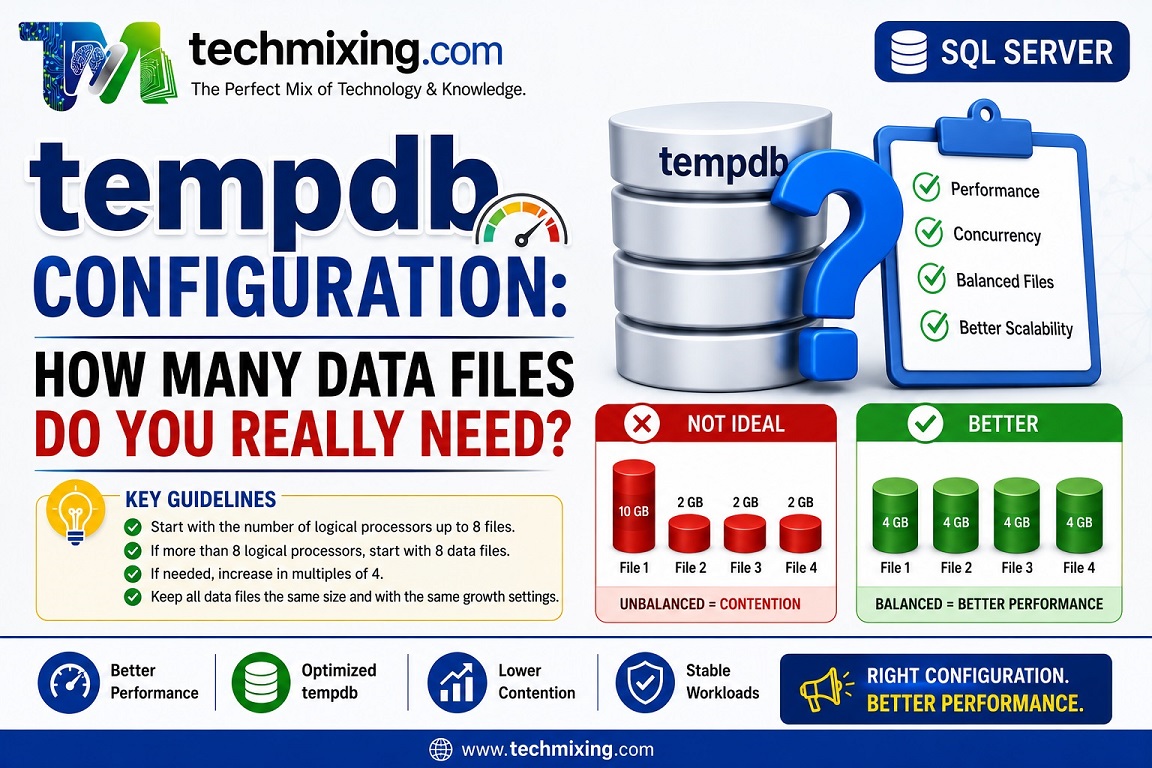
If you are experiencing tempdb allocation contention, don’t simply keep adding data files.
Start with multiple equally sized data files and size them appropriately for the workload.
Microsoft’s current guidance is:
- Up to 8 logical processors → start with the same number of
tempdbdata files. - More than 8 logical processors → start with 8 data files.
- If contention continues, increase the number in multiples of 4 and monitor the result.
- Keep the data files the same size and with the same growth settings.
Why does equal sizing matter?
SQL Server uses a proportional-fill mechanism when allocating space. If one tempdb data file is much larger than the others, allocation can become unbalanced.
For example:
tempdb

File 1   10 GB
File 2    2 GB
File 3    2 GB
File 4    2 GB
This is not an ideal configuration.
A better starting point would be:
File 1    4 GB
File 2    4 GB
File 3    4 GB
File 4    4 GB
The goal isn’t simply “more files = better performance.”
The goal is to reduce allocation contention while maintaining balanced allocation across the files.
Check your current tempdb configuration
USE tempdb;
GO

SELECT
    name AS file_name,
    type_desc,
    size * 8.0 / 1024 AS size_mb,
    growth,
    is_percent_growth
FROM sys.database_files
ORDER BY type_desc, name;
Look for:
- Unequal data-file sizes
- Different growth settings
- Percentage-based growth
- Files that are significantly smaller than others
Best Practices
- Pre-size
tempdbbased on your normal workload. - Keep data files equal in size.
- Use the same growth increment for all data files.
- Avoid relying on frequent autogrowth.
- Monitor actual allocation contention before adding more files.
- Put
tempdbon appropriate, fast storage where possible. - Don’t blindly create dozens of files on a high-core server. More files aren’t automatically better.
Also remember that SQL Server 2016+ already includes several improvements that reduce tempdb allocation contention, so old advice around trace flags 1117 and 1118 should not simply be copied into modern configurations.
Common Mistake
“My server has 32 CPUs, so I should immediately create 32 tempdb files.”
Not necessarily.
Use Microsoft’s starting guidance and then investigate whether allocation contention actually exists. Increasing the number of files should be driven by the workload and observed contention, not CPU count alone.
Pro Tip
Don’t evaluate tempdb configuration only by looking at file sizes.
If users report intermittent performance problems, investigate PAGELATCH contention, tempdb space usage, spills, version-store usage, and workload patterns together.
A tempdb problem can be a symptom of an underlying query or workload problem.
Read more articles on SQL server & Azure SQL
What are temporal tables in SQL and how to use them for historical data tracking?
CTEs vs Temp Tables vs Derived Tables: Which One Should You Use?
Execution Plan Analysis: CTEs vs Temp Tables vs Derived Tables
Temp Table vs Global Temp Table vs Temp Variable: The Ultimate Performance Comparison
SQL Server Execution Plans Explained: A Beginner’s Guide for DBAs and Developers
Top 50 Azure SQL Execution Plan Interview Questions and Answers (Beginner to Advanced)
For Interview Questions on SQL SQL Server, Azure SQL, Performance Tuning, Security, and DBA, click the link below:-
https://www.techmixing.com/interview-questions-2
Explore the Complete TechMixing Article Sitemap – Click the Link Below
https://www.techmixing.com/site-map
Discover more from Technology with Vivek Johari
Subscribe to get the latest posts sent to your email.

